Claude Motion alternatives, tested
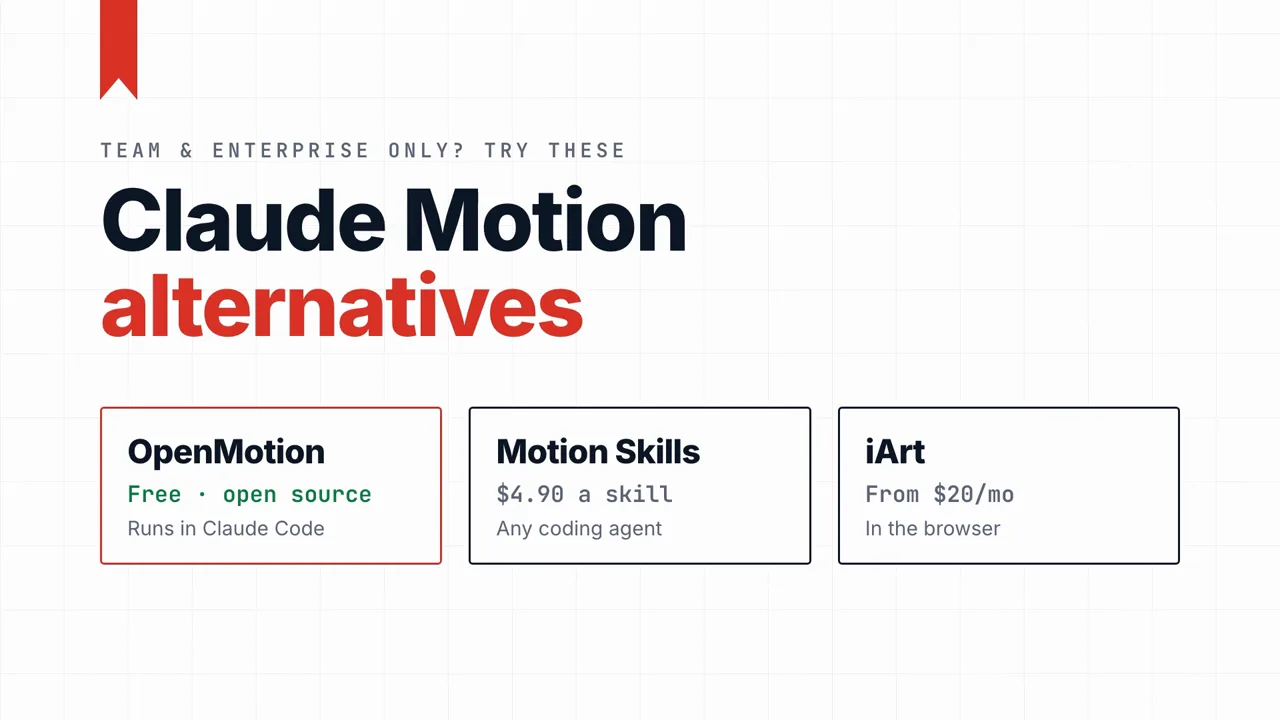
Tool: OpenMotion · Verdict: Keep
Claude Motion is Team and Enterprise only. We rendered a clip with OpenMotion ourselves and checked six other ways to make the same kind of video.
Claude Motion turns a prompt, a report or a few images into a short animation that you can export as an MP4. Anthropic launched it on October 8, 2026 as a beta for Team and Enterprise plans only. If you pay for Claude Pro, Max or Ultra, it is not in your plan.
The cheapest way in is a Team plan: at least two seats, $25 per seat a month billed monthly ($20 billed yearly), so about $50 a month (claude.com/pricing, November 17, 2026). For one person who wants a launch video now and then, that is a lot. So we looked at what else does the same job.
We are an independent site. We are not connected to Anthropic, OpenDesign, HeyGen or any tool below, and nobody paid to be on this page.
The short answer
| Option | Who can use it | Price | What you get out | What you need |
|---|---|---|---|---|
| Claude Motion | Team and Enterprise only | Team from about $50/mo (2 seats) | MP4 | A Team or Enterprise seat |
| OpenMotion (open source) | Anyone | Free; AI media billed by your own keys | MP4, plus MOV, WebM and GIF from the editor | A coding agent (Claude Code, Codex…) and Node.js |
| HyperFrames + Claude Code | Anyone with Claude Code | Free | MP4 | Claude Code (Pro is enough), Node.js, FFmpeg |
| Motion Skills | Anyone with a coding agent | Free starter skill; $4.90 per skill or $9.90/mo | Rendered film on your computer | Claude Code, Codex, Cursor or Gemini CLI |
| OpenMotion desktop app | Mac and Windows | Free for now | Video, transparent WebM, HTML | A Claude Code or Codex subscription |
| iArt | Anyone, in the browser | $2 free credit; from $20/mo | Video with AI voiceover | An account |
| Shotstack | Developers, by API | $10 for 50 minutes, or from $39/mo | Rendered video | API calls or its editor |
| Pexo | Anyone, in the browser | From $30/mo | AI video with generated footage | An account |
Prices are what each maker’s pricing page said on November 17, 2026. Check them again before you pay.
Our pick: if you already have Claude Pro or Max and do not mind a terminal, use OpenMotion. It is free, runs in the Claude Code you already pay for, and gives you a timeline editor that Claude Motion does not have. If you never want to open a terminal, try iArt with its free credit first.
How we tested
We installed OpenMotion from its source code on November 17, 2026, at the commit published that day (664be50), on a
Mac Studio (Apple M4 Max, 36 GB, macOS 26.6). Then we had Claude Code write the kind of clip Claude Motion makes: a
10-second, 1920×1080 title card for this page, with text, three cards and an end stamp on four tracks, plus a music
track. It used only HTML, CSS and the GSAP library that comes with every OpenMotion project, so no AI image or video
model and no API key. The music is a 10-second track we made for this clip and added to the project as an audio file;
OpenMotion’s AI music needs a provider key, which we did not use.
| Step | What we got |
|---|---|
| Install script (packages, template library, editor build) | 25 seconds |
| Writing the clip (Claude Code) | a few minutes, with one layout fix |
| Render, 300 frames at 30 fps plus the music, on the CPU | 11.2 seconds |
| File | MP4, H.264 with AAC stereo sound, 1920×1080, 10.0 s, 0.97 MB |
| Cost | $0 |
That is the clip, untouched, with music (turn your sound on). Opened in the Studio, the same project sits on a timeline you can edit by hand, with the music on its own audio track at the bottom:
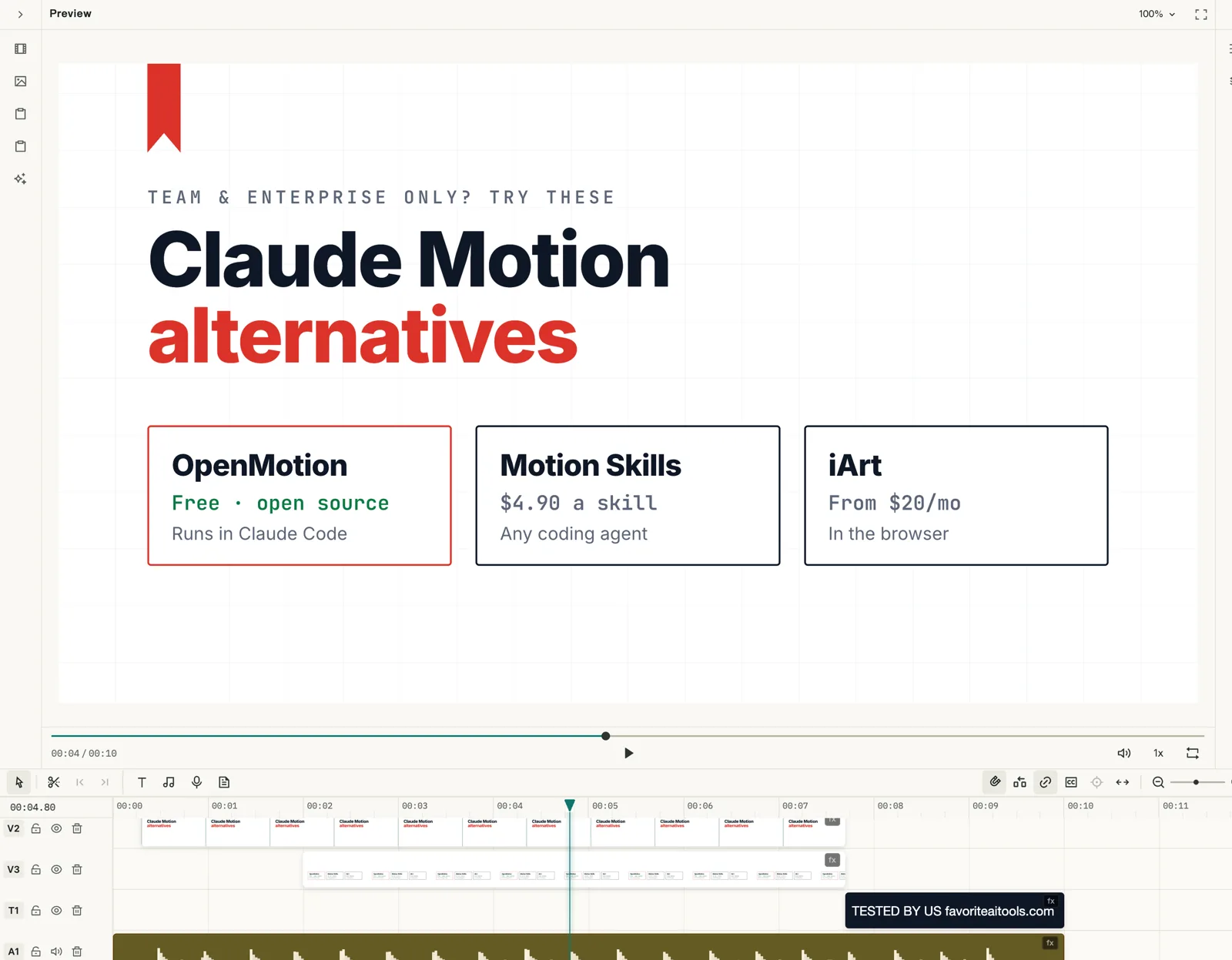
One snag on the Mac: started as a background service, the server opened its editor on a random port and then exited, so nothing answered on the address we expected. Run it in a terminal and open the address it prints, or start the server on a fixed port.
We did not pay for any of the other tools. For those, the facts come from each maker’s own pages, read the same day, and the screenshots are ours.
What Claude Motion does, so you know what to replace
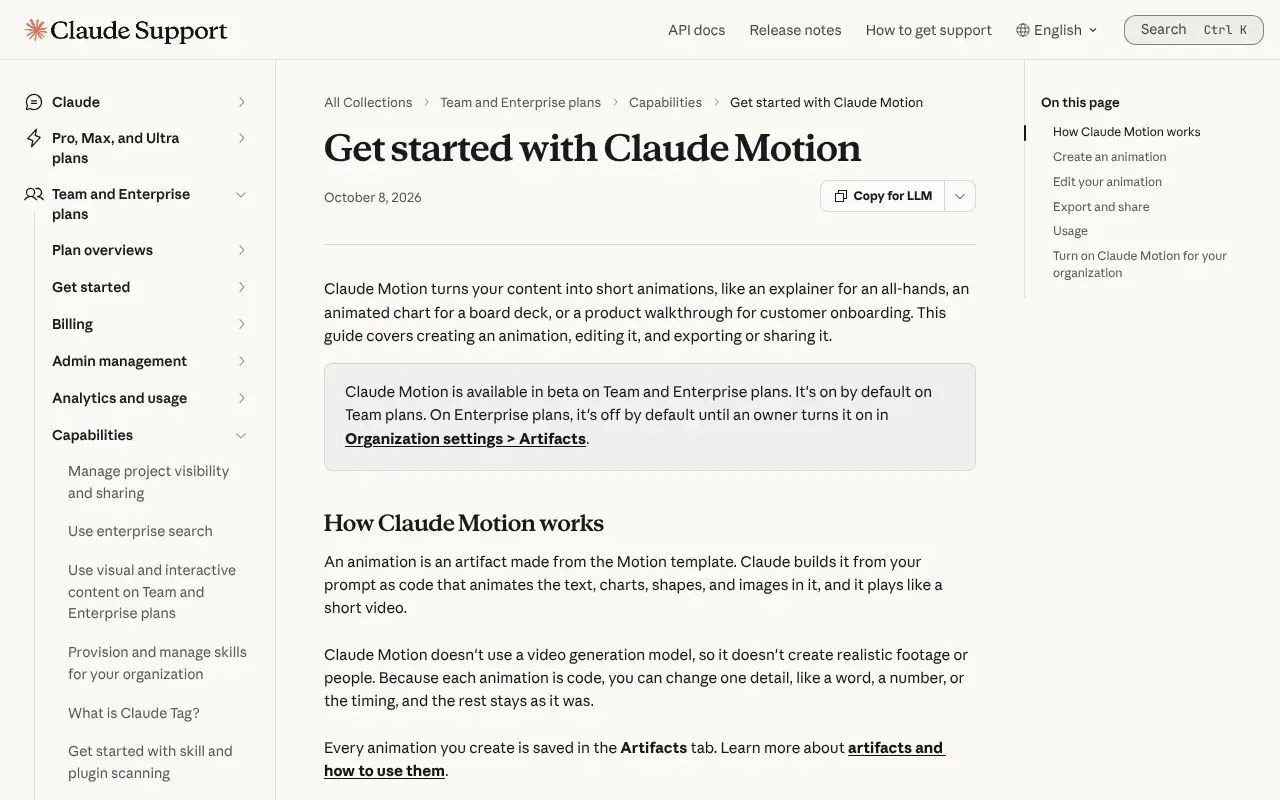
- Claude builds each animation as code that moves text, charts, shapes and images. It does not use a video model, so it does not make realistic footage or people.
- You edit by asking in the chat (“slow down the second scene”) or in its own editor, then Export → MP4.
- It counts toward your plan’s usage limits, and longer animations use more.
- On Team it is on by default; on Enterprise an owner has to switch it on.
That last point matters for the alternatives: anything that also writes the video as code (OpenMotion, HyperFrames, Motion Skills) gives you the same “change one word and the rest stays” editing. Tools built on video models (Pexo) give you real-looking footage instead, but each change is a new generation.
1. OpenMotion: the open-source alternative
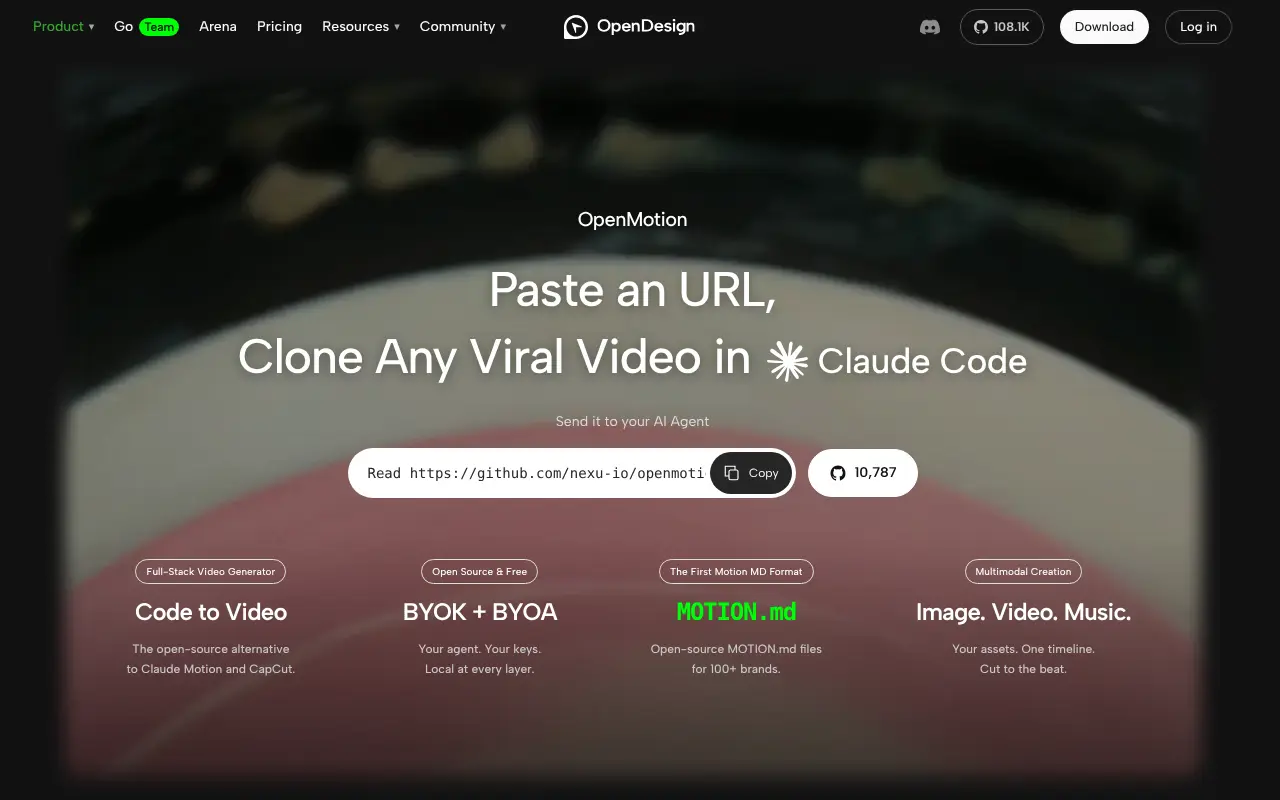
OpenMotion is made by OpenDesign and released under the Apache-2.0 license. You paste one line into your agent (“Read https://github.com/nexu-io/openmotion and follow the instructions…”) and the agent installs it. It works with 22 local agents, including Claude Code, Codex, Cursor Agent and Gemini CLI.
What we found:
- It is a real editor, not only a prompt. The agent writes each video as HTML on HeyGen’s HyperFrames engine, and the Studio shows it on a timeline where you can move shots and change timing by hand.
- It can rebuild a reference video. Paste a link or upload a clip and it breaks it into shots and transitions, then remakes it with your brand. Its template library has more than 200 brand-video examples.
- Images, video clips, music and voice need your own keys (fal.ai, Atlas Cloud, WaveSpeedAI, or Codex’s own image tool). A video made only of text, shapes and your own screenshots needs no key at all.
- The install is big. From source it needs Node.js 22.18 or newer; the download plus its packages came to about 790 MB in our first install.
- Usage statistics are on by default. It sends anonymous usage events unless you set
DO_NOT_TRACK=1orOPENMOTION_TELEMETRY=0, or switch it off in its settings. We switched it off for our test. - It changes fast: about 500 commits in the last 30 days. If something breaks, update or pin a version.
A short profile of OpenMotion, with what people pair it with, is on my9ai’s OpenMotion page.
Who it suits: Claude Pro or Max users who want Claude Motion-style videos for free and are fine with an install.
2. HyperFrames + Claude Code: the do-it-yourself route
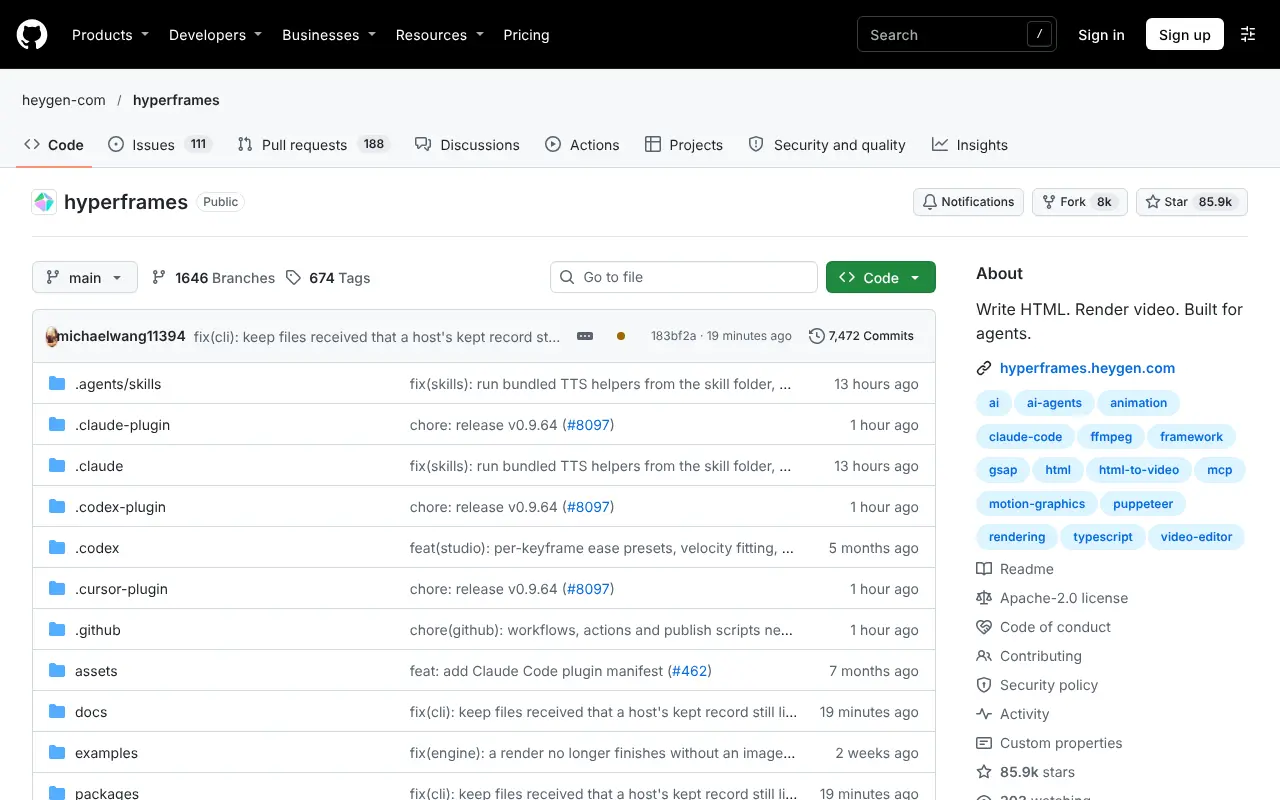
HyperFrames is the open-source engine OpenMotion is built on, from HeyGen
(Apache-2.0). On its own it is a command-line tool plus a set of agent skills: Claude Code writes the HTML, and
npx hyperframes render turns it into an MP4 with headless Chrome and FFmpeg. The same input gives the same video
every time.
You lose OpenMotion’s template library, reference remakes and model connections. You keep a lighter install and full control. Pick this if you like working in code and only need text, charts and screenshots moving on screen.
3. Motion Skills: pay per skill, no subscription needed
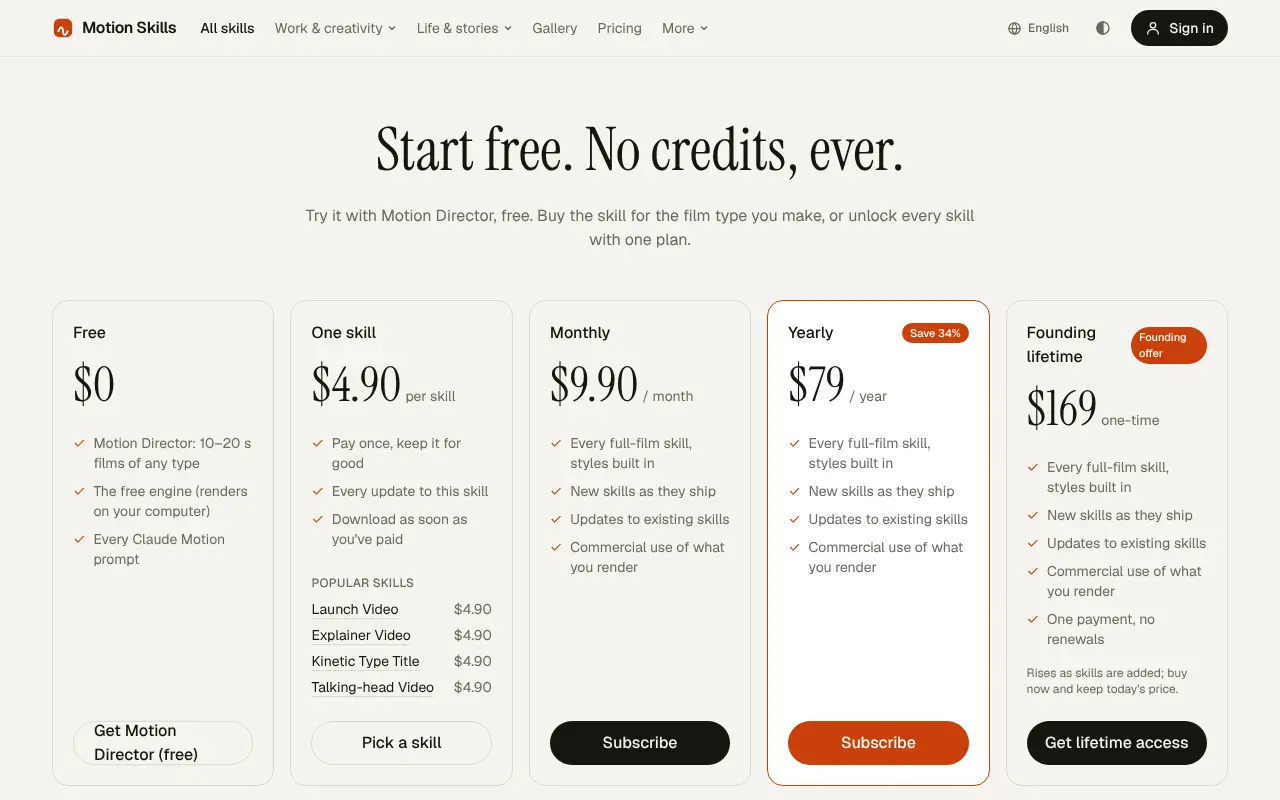
Motion Skills sells skill files for your own agent (Claude Code, Codex, Cursor, Gemini CLI). The free Motion Director skill makes 10 to 20 second films of any type, rendered on your computer. Specific skills such as Launch Video or Explainer Video cost $4.90 each, paid once; all of them are $9.90 a month, $79 a year or $169 once (a founding offer). Its site says it is an independent project, not connected to Anthropic.
Who it suits: people who want ready-made recipes for one kind of video and would rather pay $4.90 once than set up a studio.
4. OpenMotion desktop app (openmotion.design): same name, different product
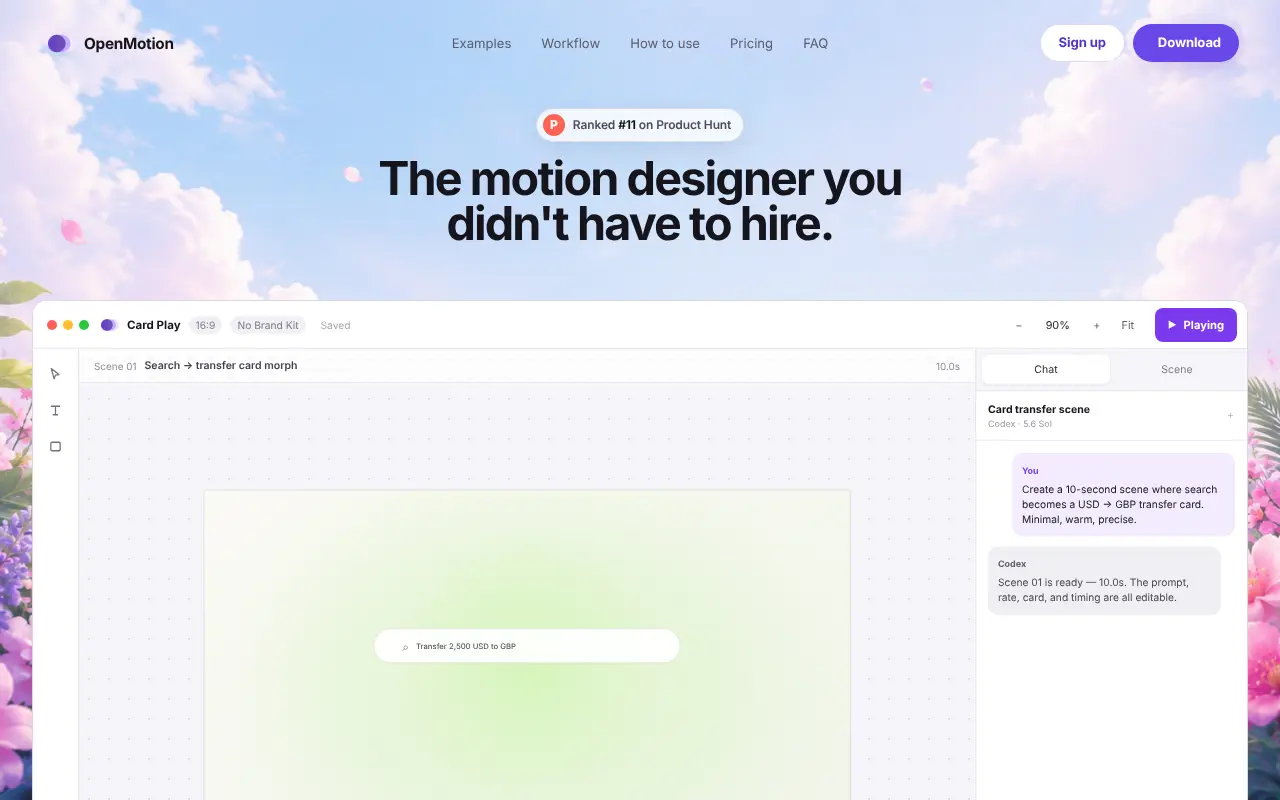
openmotion.design is a separate desktop app with the same name, ranked #11 on Product Hunt. It runs on macOS (Apple silicon or Intel) and Windows 10 or later (Windows is in beta), uses your Claude Code or Codex subscription instead of separate API keys, and exports video, transparent WebM or a self-contained HTML file. It is free while in development; the maker says some advanced features may become paid later.
Who it suits: people who want a point-and-click app rather than a terminal, and already pay for Claude Code or Codex.
5. iArt: in the browser, with voiceover
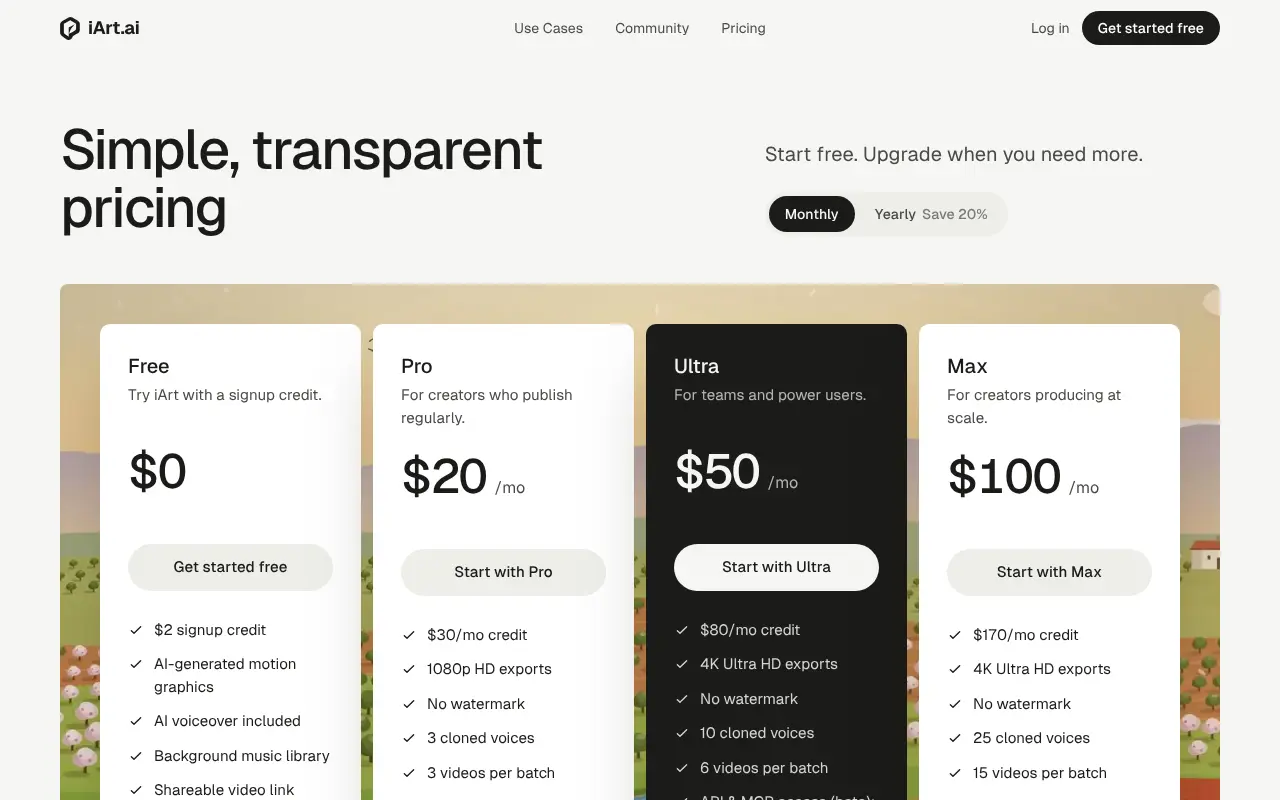
iArt makes motion-graphics videos from text in the browser, with AI voiceover and a music library. You get $2 of free credit at sign-up. Pro is $20 a month ($30 of credit, 1080p, no watermark); Ultra ($50) and Max ($100) add 4K and more cloned voices. iArt says a first 30-second video costs about $0.02 to $3.00 in credit depending on the model, and each rendered clip $0.09.
Who it suits: non-developers who want a finished video with a voice, without installing anything.
6. Shotstack: video by API
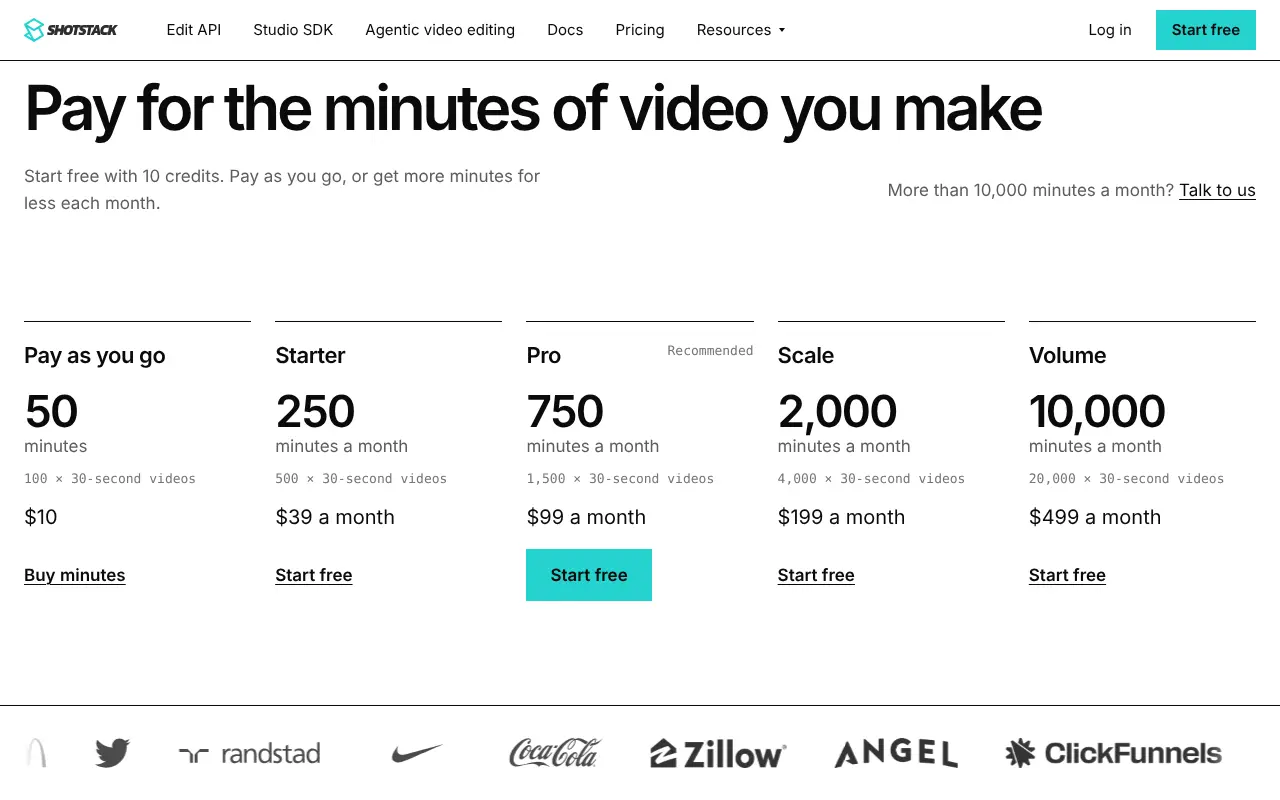
Shotstack is a video-editing API with a white-label editor and an agent mode. You pay for minutes rendered: $10 for 50 minutes pay-as-you-go (they last 12 months), or plans from $39 a month for 250 minutes. AI images, clips, voice and music are charged per model on top.
Who it suits: developers who need hundreds of videos made from data, not one launch clip.
7. Pexo: an AI video agent with real footage
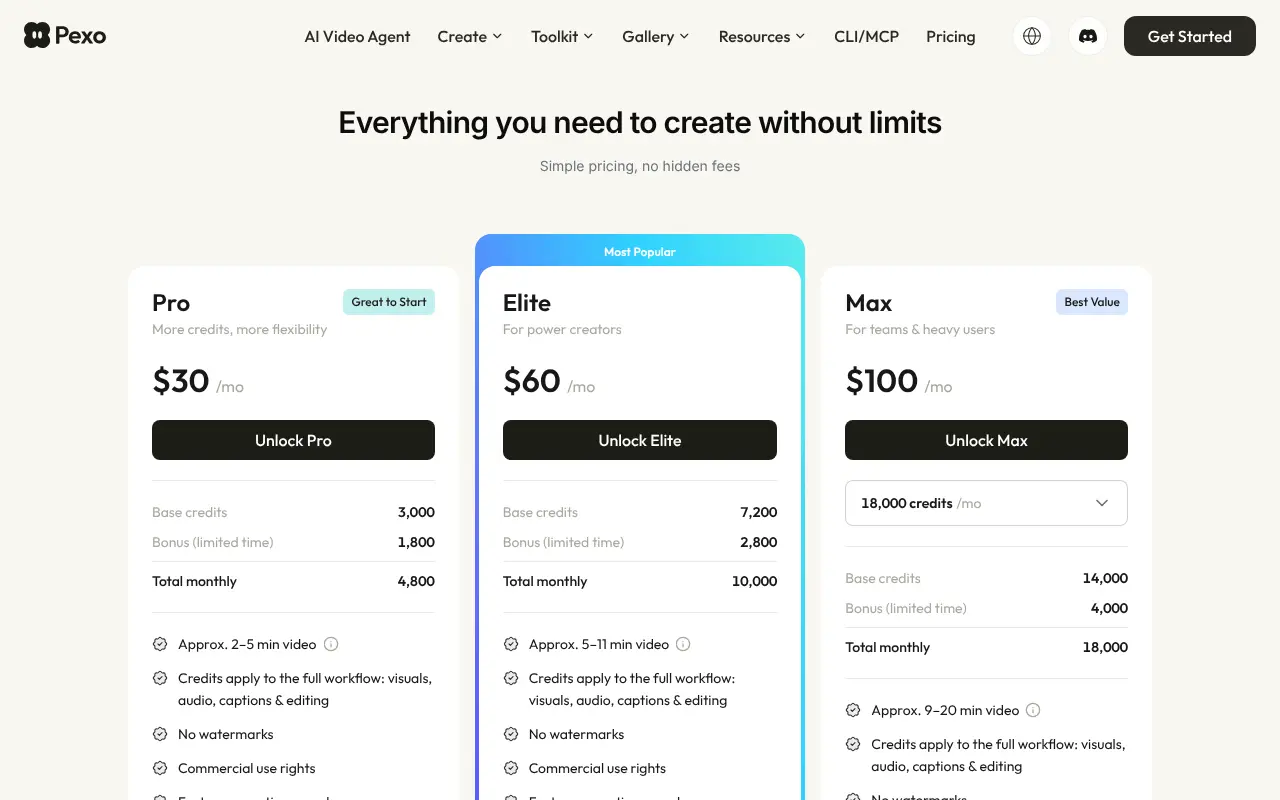
Pexo is a different kind of tool: it picks video and image models (Seedance, Kling, Nano Banana and others) shot by shot, so you get generated footage, not just animated text. Plans are $30, $60 and $100 a month; Pro’s credits make roughly 2 to 5 minutes of video.
Who it suits: people who want cinematic or realistic shots, which Claude Motion does not make.
Which one should you pick?
- You have Claude Pro or Max and want the closest thing to Claude Motion for free: OpenMotion.
- You want the lightest setup and like code: HyperFrames in Claude Code.
- You make one kind of video again and again: a $4.90 Motion Skills skill.
- You don’t want a terminal: the openmotion.design app (free for now) or iArt (free credit, then $20/mo).
- You need video by the hundred: Shotstack.
- You need real-looking footage: Pexo.
- Your company already pays for Claude Team: just use Claude Motion; it is already switched on.
Questions people ask
Is Claude Motion free?
No. It is included with Claude Team and Enterprise plans and counts toward their usage limits. It is not available on the Free, Pro, Max or Ultra plans as of November 17, 2026.
Can I use Claude Motion with Claude Pro or Max?
Not at the moment. Anthropic’s help page lists only Team and Enterprise. With Pro or Max you can get similar results in Claude Code with OpenMotion, HyperFrames or Motion Skills.
What is the best free Claude Motion alternative?
OpenMotion, if you can install it. It is open source, free, and adds a timeline editor and reference-video remakes. The openmotion.design desktop app is also free for now and needs no terminal.
Is OpenMotion made by Anthropic?
No. OpenMotion (github.com/nexu-io/openmotion) is made by OpenDesign, and openmotion.design is another, unrelated app. Neither is made or endorsed by Anthropic.
How we test → · the Favorite AI Tools team